I took an HCI class in which I learned a lot of different design principles by applying them in various, interesting projects. Below are the projects including a picture/video of the final product along with the corresponding design document my teams and I made using Medium.
Design Manifesto
My final project for this HCI class focuses more on the important design processes I learned and applied to my projects throughout the term. To read more about it, go to Design Manifesto.
Good Design, Bad Design
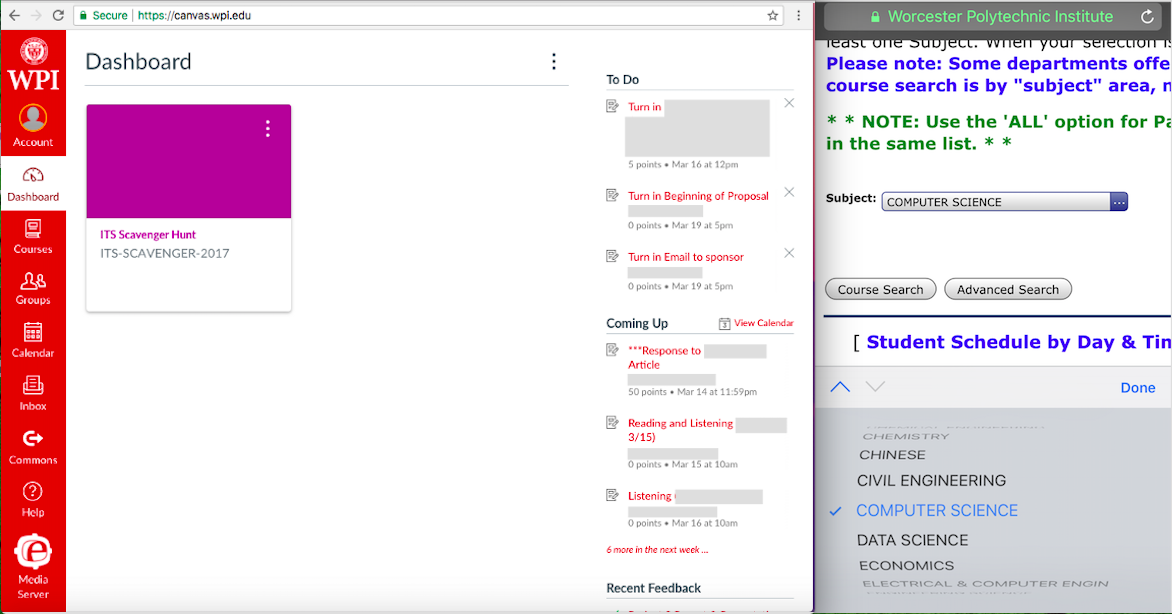 WPI has many well-designed websites such as Canvas (on the left), a site for students and faculty to primarily manage their courses. However, there are also a few poorly-designed websites such as Bannerweb (on the right), used by the WPI community to register or pay for classes among many other features.
Read more on my blogpost on Medium: Good Design, Bad Design.
Design for Others
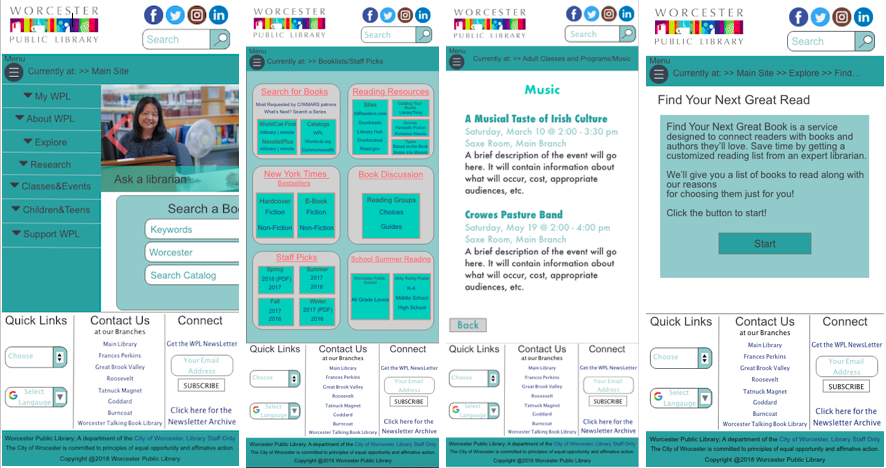 My team and I redesigned the Worcester Public Library Website for an iPhone based on the demographics group we were given in class, women aged 30 to 40 years old. Our goal was to increase user readabiliy and navigability. This was the first project in which we implemented the design process: ideate, prototype, and test. We built the final product using a site called invision that allowed us to link webpages together to create a realistic prototype.
Visit the project prototype: Worcester Public Library Redesigned Wesbite
Read more on my blogpost on Medium: Design for Others.
Design for Understanding
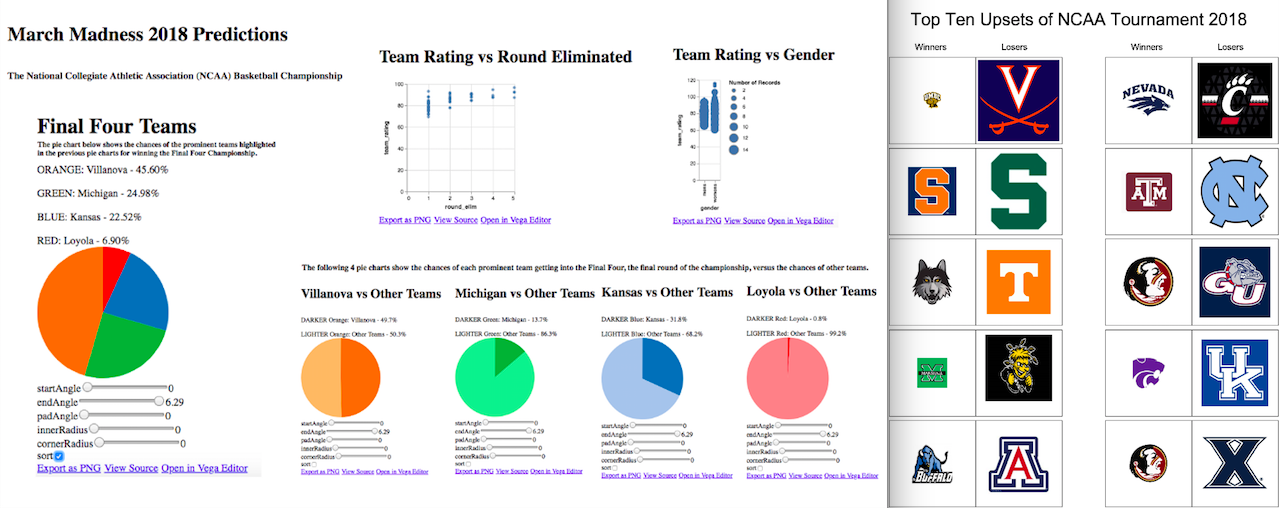 Our project focuses on communicating the same data set, we choose March Madness 2018 Predictions, using data visualization techniques in two different ways: clear communication and persuasion. Clear communication visuals (on the left) are a series of graphs and charts that give a straightforward approach to the data while persuasion visuals (on the right) share a story to leave a long lasting impact on the user.
Visit the project website: March Madness 2018 Data Visualization
Read more on my blogpost on Medium: Design for Understanding.
Design for Tension
In this project, my team and I created a chatbot that attempts to tackle a tense topic. We chose to focus on teenagers who are concered for their friends struggling with depression. Many times teenagers want to help their dear friends dealing with this tough situation, but they are not sure what to do. The bot serves to spread awareness about depression and help inform them about how to react in certain situations.
Visit the project website: Chatbot to Handle Tough Times
Read more on my blogpost on Medium: Design for Tension.
Design for Wellbeing
In this design sprint, we wanted to use the Affectiva libraries, a company that specializes in emotion detecting technology, to create a meaningful emotion detector project of our own. We decided to implement four emotions: happiness, sadness, neutrality and screaming to change the attributes of a YouTube video by increasing the volume, skipping to the next video, keeping the video the same, and muting the video, respectively.
Visit the project website: YouTube Reactions Predicted with Affectiva
Read more on my blogpost on Medium: Design for Wellbeing.
Design for Another World
Our objective for this project was to create a calm virtual reality beach environment for individuals who are dealing with terminal illnesses and those who are stressed or overwhelmed such as students at WPI during finals week. We used Aframe and Glitch to build our scene.
Visit the project website: Virtual Reality Beach Environment
Read more on my blogpost on Medium: Design for Another World.